


 Notification



 Wizard


This article explains how Generative AI is changing visual design in eLearning. It shows that AI helps designers create custom, consistent visuals that make learning clearer and more engaging. The focus is on using AI thoughtfully – supporting learning goals, not just decoration – to make courses easier to understand and more interactive.
Visual design has always been an important part of eLearning. In traditional classroom training, an instructor can explain ideas, answer questions, and guide learners through difficult concepts. In eLearning, however, the instructor is often not present. The course itself must do the work of explaining, guiding, and engaging learners.
Because of this, visuals play a major role in helping learners understand the content. Good visuals can simplify complex ideas, reduce confusion, and make learning easier. Poor visuals, on the other hand, can distract learners and make courses harder to follow.

For many years, eLearning designers relied heavily on stock images, simple diagrams, and slide-based layouts. While these methods helped create courses quickly, they often did not truly support learning. Today, Generative AI is changing this situation.

Generative AI tools allow designers to create custom visuals quickly, even without advanced graphic design skills. More importantly, these tools enable designers to build visuals that directly support learning goals rather than simply decorating slides.
This article explores how Generative AI is transforming visual design in eLearning, and how designers can use it thoughtfully to improve learner understanding.
Why Visual Design in eLearning Needs Rethinking
If we look honestly at many eLearning courses today, they still resemble presentation slides with navigation buttons. Many slides contain large amounts of text accompanied by generic stock images.
For example, a slide about teamwork may include a picture of people shaking hands or smiling at laptops. A slide about cybersecurity may show abstract graphics of digital networks or glowing data streams. While these images look attractive, they often do not explain the concept being taught.

These visuals are not necessarily wrong, but they rarely help learners understand the content better. Instead of reducing cognitive effort, they may add unnecessary visual noise.
Modern learners also have higher expectations. They regularly interact with polished digital experiences such as mobile apps, interactive websites, and video platforms. When eLearning courses appear outdated or visually confusing, learners may lose interest quickly.
Poor visual design can also have real consequences for organizations. When content is difficult to understand, learners take longer to grasp concepts. This can lead to slower training outcomes, repeated learning sessions, and inconsistent job performance.
Therefore, visual design in eLearning needs a shift in thinking. The goal should not simply be to make slides look attractive. Instead, visuals should help learners understand ideas clearly and support real learning outcomes.
The True Role of Visual Design in Learning
Effective visual design is not about decoration. It is about communication.
Every visual in a course should serve a purpose. It should help learners understand a concept, visualize a process, or make a decision. When visuals are designed thoughtfully, they make learning easier and more engaging.
Several principles guide effective visual design in eLearning.
1. Designing for Cognitive Ease
Human brains process information more easily when content is clear and focused. If a slide contains too many elements, learners must spend extra effort figuring out where to look.
Good visual design reduces this cognitive load. Each screen should focus on one key idea. Visual elements should guide the learner’s attention to the most important information.
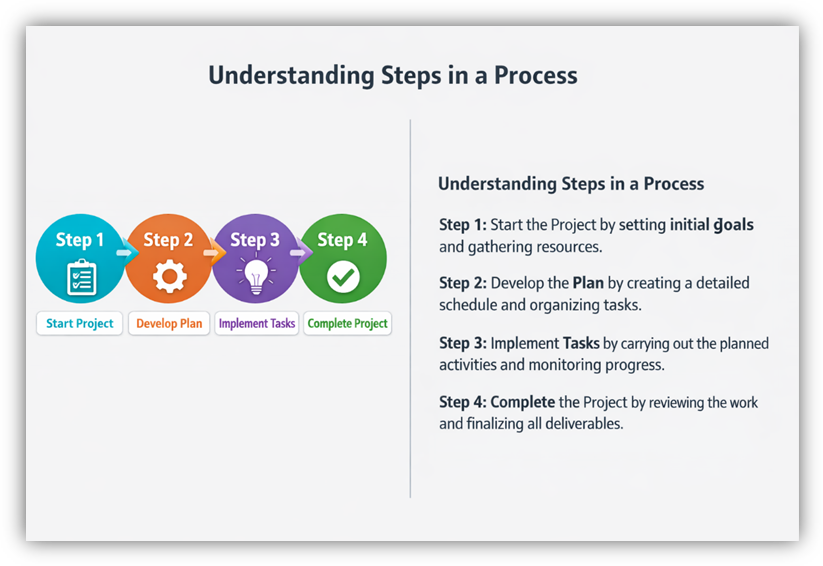
For example, a process diagram can help learners understand steps much faster than reading several paragraphs of text.
 2. Communication Over Decoration
Many eLearning courses include decorative graphics such as gradients, animations, or abstract images. While these may look appealing, they do not always support learning.
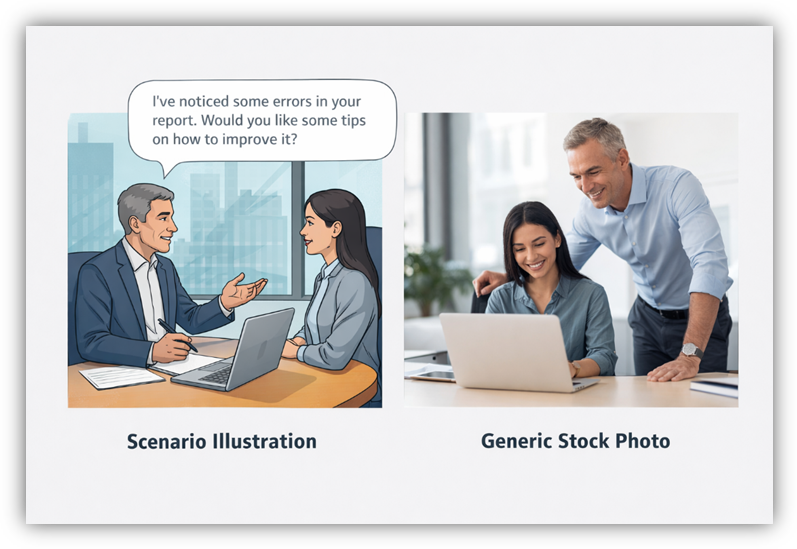
Instead, visuals should explain or reinforce ideas. A scenario illustration showing a workplace situation may help learners understand soft skills training better than a generic image.
The key question designers should ask is simple:
Does this visual help the learner understand the content?
If the answer is no, the visual may not be necessary.
3. Consistency in Design
Consistency is another critical factor in visual design. If every slide uses a different style, color scheme, or illustration type, learners must constantly adjust their attention.
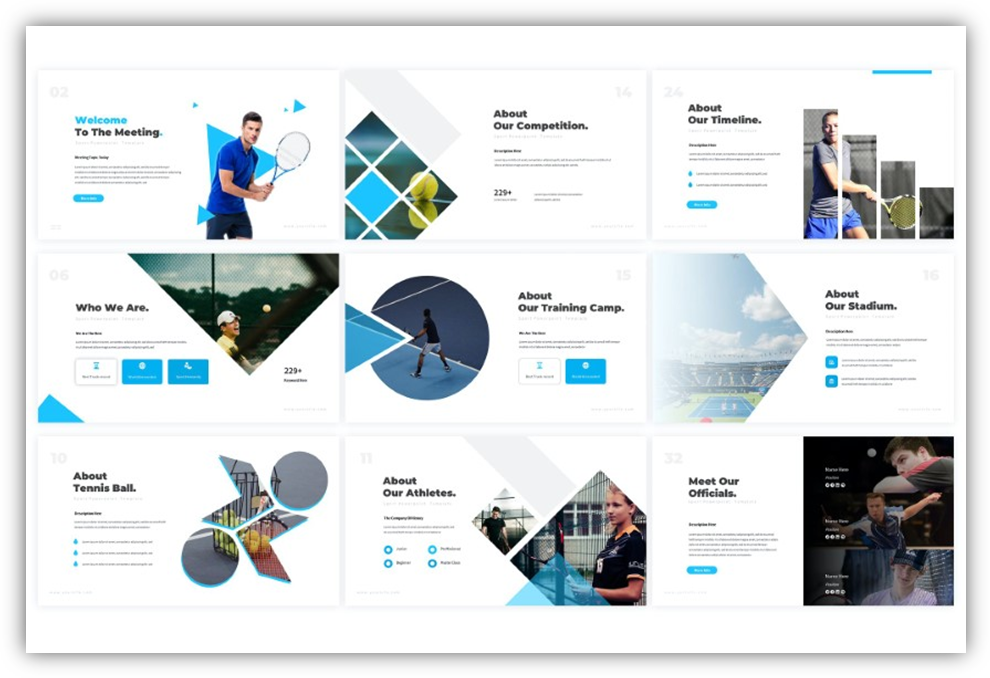
Consistent visuals create familiarity and comfort. They help learners focus on the content instead of adapting to new layouts.
This consistency can include:
- Similar illustration styles
- Consistent color themes
- Uniform layouts
- Repeated visual patterns
Maintaining this consistency was difficult in the past because designers relied on stock images. Generative AI now makes it easier to create visuals with the same style across an entire course.
How Generative AI is Transforming Visual Design
Generative AI tools are changing how visuals are created in eLearning. Previously, instructional designers often faced several challenges:
- Custom illustrations required graphic design expertise.
- Creating visuals from scratch took time.
- Stock images rarely matched the exact learning context.
- Maintaining visual consistency across slides was difficult.
Generative AI addresses many of these problems.
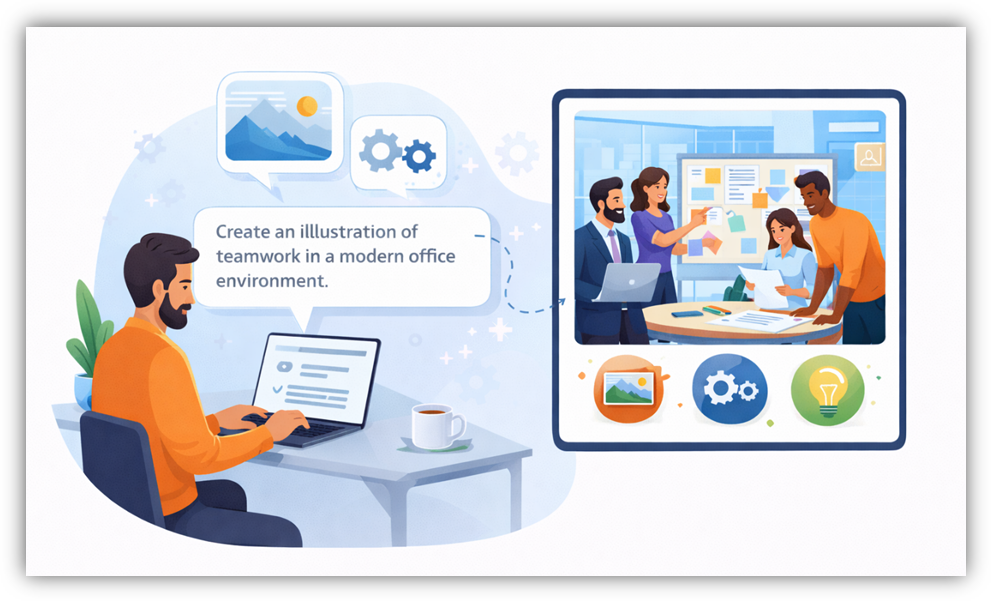
Today, designers can generate custom visuals by describing what they want using text prompts. AI tools can quickly create illustrations, icons, backgrounds, or conceptual images that match the learning topic.
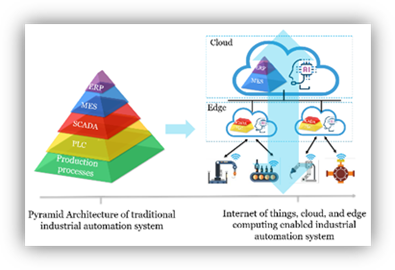
For example, if a course explains digital transformation, a designer can generate a visual that shows legacy systems evolving into modern digital platforms. This type of contextual image would be difficult to find in traditional stock libraries.
AI also enables designers to create visual themes that remain consistent across slides. The same character, environment, or illustration style can be reused throughout a course, creating a cohesive learning experience.
Importantly, AI reduces the time spent searching for images.
Where AI Fits in the Learning Design Process
Although Generative AI is powerful, it should not be the starting point of course design.
The learning strategy must always come first.
Instructional designers should begin by answering key questions:
- What is the learning objective?
- What should learners understand or be able to do after the training?
- Which concepts are difficult and require visual support?
Only after these questions are answered should designers think about visuals.
Once the learning goals are clear, AI can help generate visuals that support the instructional strategy. In this way, AI becomes an accelerator rather than a replacement for human expertise.
The designer’s role remains essential. Understanding learners, defining learning outcomes, and connecting visuals to concepts are tasks that AI cannot fully perform.
Scope of AI-Generated Visuals in eLearning
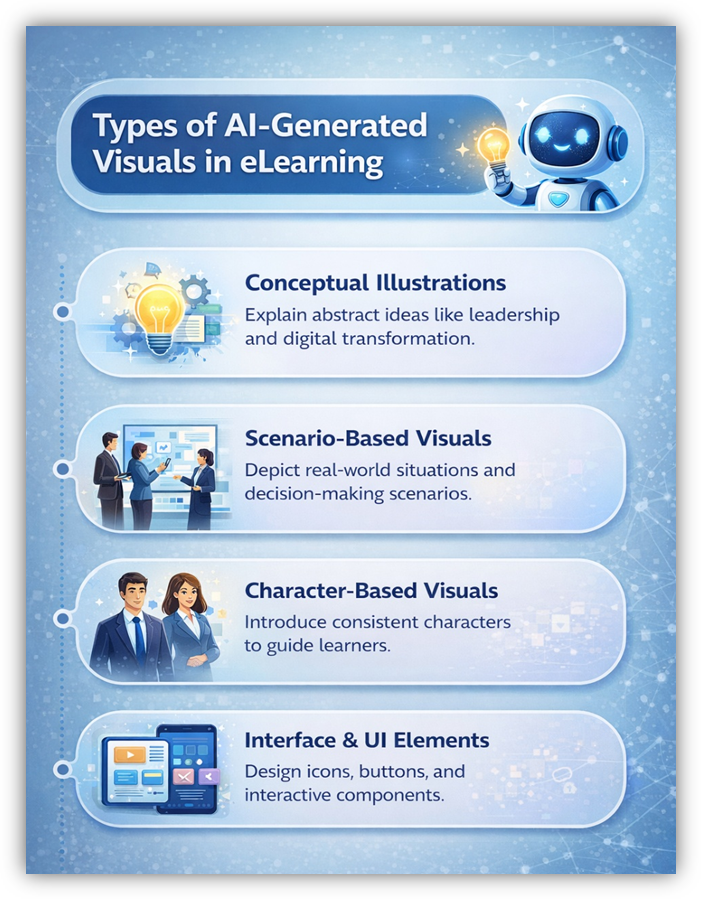
Generative AI can create many types of visuals that enhance learning experiences.
Conceptual Illustrations
Conceptual visuals help explain abstract ideas. Topics such as leadership, cybersecurity, or digital transformation often involve complex concepts that are hard to describe with text alone.
AI-generated illustrations can visually represent these ideas in simple and engaging ways.

Scenario-Based Visuals
Scenario-based learning is widely used in eLearning. It allows learners to explore real-world situations and make decisions.
AI can generate images of workplaces, customer interactions, or industry environments that match the training context.

Character-Based Visuals
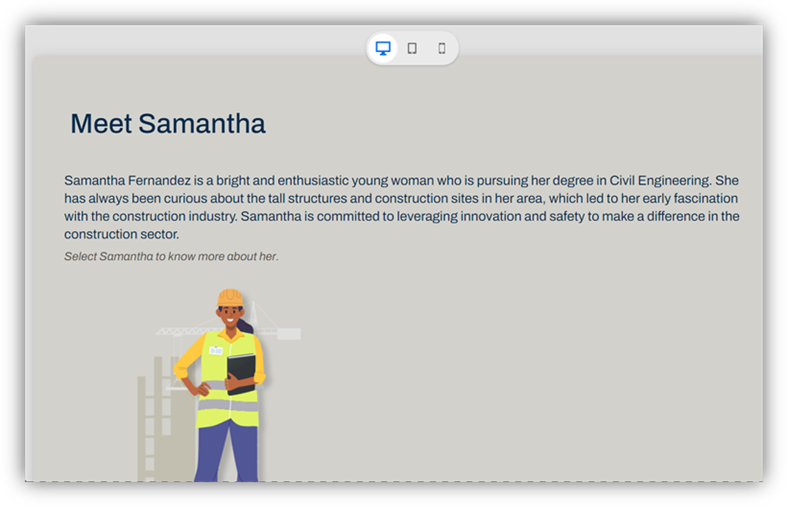
Characters can guide learners through courses, explain concepts, or appear in scenarios. Using consistent characters across slides helps create a narrative experience.
AI makes it easier to generate characters with consistent appearance and style.


Interface and UI Elements
AI tools can also create icons, buttons, and visual elements used in course interfaces. These assets support navigation and interaction.
For example, interactive elements such as buttons, tabs, and clickable objects guide learners through course content and trigger actions or navigation within the module.

Similarly, modern eLearning tools provide interactive widgets such as flip cards, tabs, timelines, and drag-and-drop activities to encourage learner participation.
When combined with AI-generated visuals, these components create richer and more engaging learning experiences.
Designing Interactive Visual Experiences
Visual design becomes even more powerful when it includes interaction.
Instead of static images that simply sit on a slide, interactive visuals encourage learners to explore content. When learners click, drag, or reveal elements, they actively engage with the material.
Examples of interactive visuals include:
- Click-to-reveal information
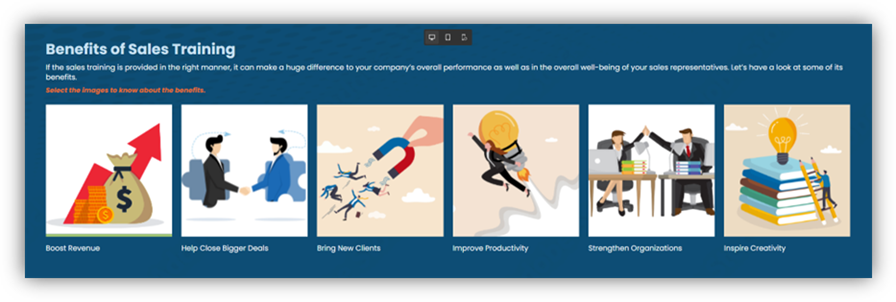

- Scenario choices with visual feedback

- Interactive timelines

- Flip cards that reveal explanations
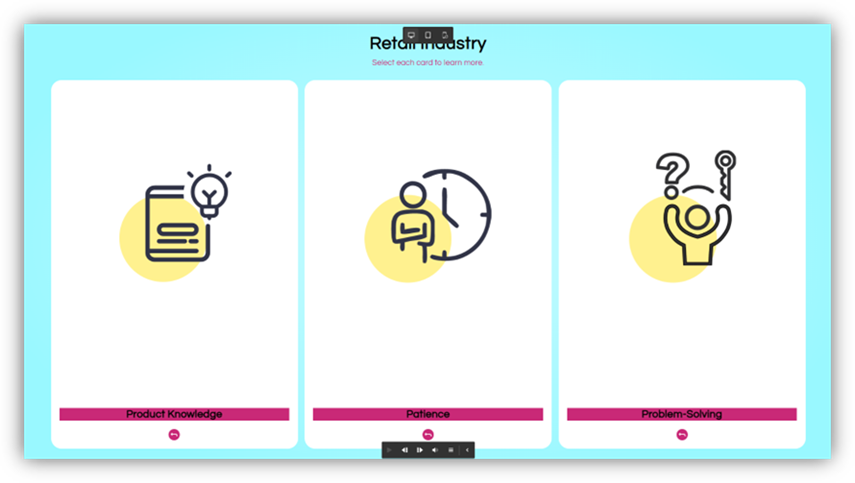
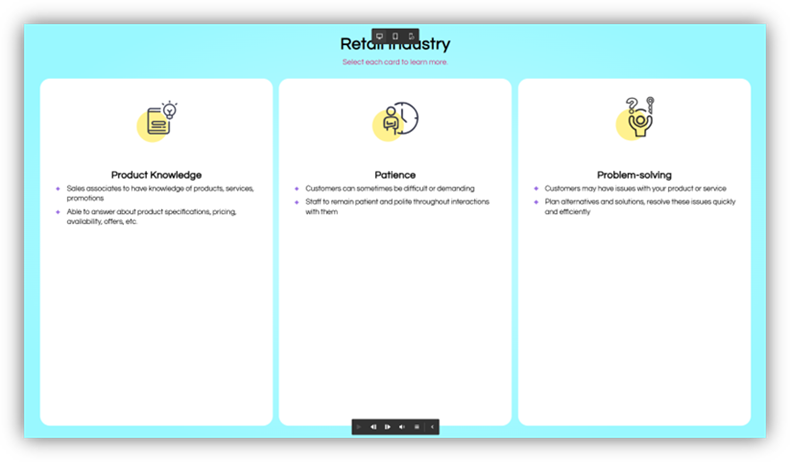
- Drag-and-drop learning activities
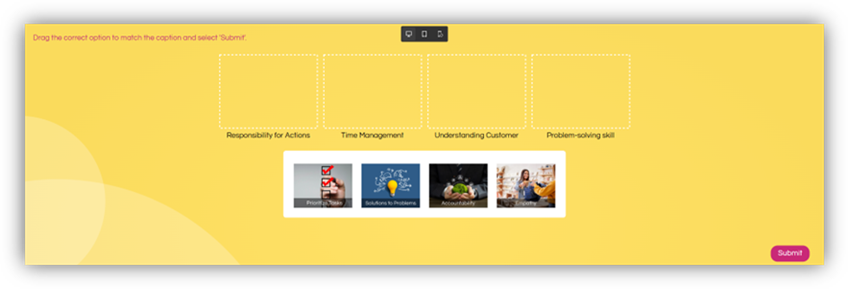

These interactions allow learners to practice decision-making and reinforce knowledge more effectively than passive reading.
Interactive elements also provide feedback, showing learners whether their choices were correct or incorrect. This feedback strengthens understanding and retention.
Writing Effective Prompts for AI Visuals
Creating useful AI-generated visuals requires good prompts.
A prompt is a written description that tells the AI tool what to create. The clearer and more specific the prompt, the better the result.
A strong visual prompt often includes:
- The concept or topic
- The type of visual (illustration, diagram, scene)
- The style (minimalistic, realistic, flat design, etc.)
- The context or scenario
- The desired color theme or mood
For example, instead of writing “create an image of teamwork,” a better prompt might be:
“Create a simple flat illustration showing a team collaborating around a project board in a modern office environment.”

This level of detail helps the AI generate visuals that align with the learning objective.
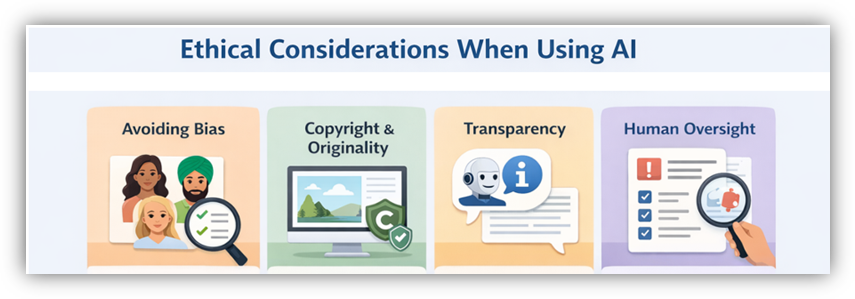
Ethical Considerations When Using AI
While Generative AI offers many advantages, designers must use it responsibly.
One important consideration is avoiding bias. AI-generated images should represent diverse people, cultures, and environments. Designers should carefully review visuals to ensure they do not reinforce stereotypes.
Another concern is copyright and originality. Designers should use AI tools that provide clear guidelines on image usage and licensing.
Transparency is also important. In some cases, organizations may choose to inform learners that visuals were generated using AI tools.
Finally, designers must review all generated visuals carefully. AI tools can occasionally produce inaccurate or inappropriate images, so human oversight remains essential.
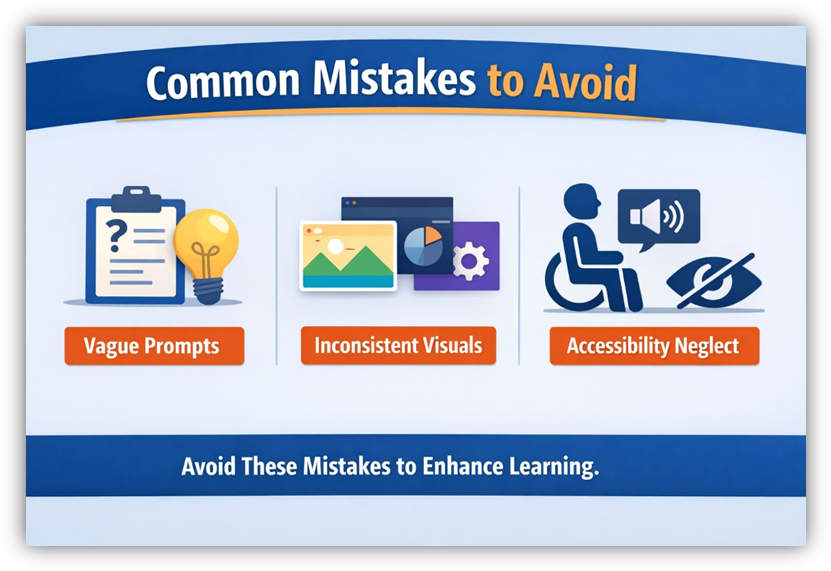
Common Mistakes to Avoid
When using AI for visual design, avoid these common mistakes:
- Using vague prompts – This often leads to generic or irrelevant visuals. Use clear and detailed descriptions for better results.
- Overusing different visual styles – This can make the course feel inconsistent. Maintain a consistent visual theme throughout the course.
- Ignoring accessibility – Ensure visuals support learners with different abilities, including those using screen readers or requiring clear contrast.
- Skipping review of AI-generated visuals – Always review visuals to ensure accuracy, relevance, and alignment with learning objectives.
By avoiding these mistakes, designers can ensure that AI-generated visuals truly enhance learning.
The Future of Visual Design in eLearning
Generative AI is still evolving, but its impact on eLearning design is already significant. Designers now have the ability to create high-quality visuals faster than ever before.
However, the real transformation lies not in speed, but in mindset. Designers are no longer limited by what images they can find. Instead, they can think about what learners need to see in order to understand a concept.
This shift allows visual design to become more purposeful, meaningful, and aligned with learning outcomes.
Conclusion
Visual design plays a crucial role in eLearning because it helps learners understand complex ideas without the presence of a live instructor. For many years, designers relied on generic images and slide-based layouts that often added decoration rather than clarity.
Generative AI is changing this landscape. It enables designers to create custom visuals quickly, maintain consistent styles, and illustrate concepts that were previously difficult to represent.
However, AI should be used thoughtfully. Learning objectives, instructional strategies, and learner needs must always come first. AI should support these goals rather than replace the designer’s role.
When used correctly, Generative AI empowers designers to create visuals that clarify ideas, engage learners, and make learning more effective.
In the end, the goal of visual design in eLearning is simple: help learners see, understand, and remember what they are learning. Generative AI is a powerful tool that can help achieve that goal.
Visual design has always been an important part of eLearning. In traditional classroom training, an instructor can explain ideas, answer questions, and guide learners through difficult concepts. In eLearning, however, the instructor is often not present. The course itself must do the work of explaining, guiding, and engaging learners.
Because of this, visuals play a major role in helping learners understand the content. Good visuals can simplify complex ideas, reduce confusion, and make learning easier. Poor visuals, on the other hand, can distract learners and make courses harder to follow.
For many years, eLearning designers relied heavily on stock images, simple diagrams, and slide-based layouts. While these methods helped create courses quickly, they often did not truly support learning. Today, Generative AI is changing this situation.
Generative AI tools allow designers to create custom visuals quickly, even without advanced graphic design skills. More importantly, these tools enable designers to build visuals that directly support learning goals rather than simply decorating slides.
This article explores how Generative AI is transforming visual design in eLearning, and how designers can use it thoughtfully to improve learner understanding.
Why Visual Design in eLearning Needs Rethinking
If we look honestly at many eLearning courses today, they still resemble presentation slides with navigation buttons. Many slides contain large amounts of text accompanied by generic stock images.
For example, a slide about teamwork may include a picture of people shaking hands or smiling at laptops. A slide about cybersecurity may show abstract graphics of digital networks or glowing data streams. While these images look attractive, they often do not explain the concept being taught.
These visuals are not necessarily wrong, but they rarely help learners understand the content better. Instead of reducing cognitive effort, they may add unnecessary visual noise.
Modern learners also have higher expectations. They regularly interact with polished digital experiences such as mobile apps, interactive websites, and video platforms. When eLearning courses appear outdated or visually confusing, learners may lose interest quickly.
Poor visual design can also have real consequences for organizations. When content is difficult to understand, learners take longer to grasp concepts. This can lead to slower training outcomes, repeated learning sessions, and inconsistent job performance.
Therefore, visual design in eLearning needs a shift in thinking. The goal should not simply be to make slides look attractive. Instead, visuals should help learners understand ideas clearly and support real learning outcomes.
The True Role of Visual Design in Learning
Effective visual design is not about decoration. It is about communication.
Every visual in a course should serve a purpose. It should help learners understand a concept, visualize a process, or make a decision. When visuals are designed thoughtfully, they make learning easier and more engaging.
Several principles guide effective visual design in eLearning.
1. Designing for Cognitive Ease
Human brains process information more easily when content is clear and focused. If a slide contains too many elements, learners must spend extra effort figuring out where to look.
Good visual design reduces this cognitive load. Each screen should focus on one key idea. Visual elements should guide the learner’s attention to the most important information.
For example, a process diagram can help learners understand steps much faster than reading several paragraphs of text.
2. Communication Over Decoration
Many eLearning courses include decorative graphics such as gradients, animations, or abstract images. While these may look appealing, they do not always support learning.
Instead, visuals should explain or reinforce ideas. A scenario illustration showing a workplace situation may help learners understand soft skills training better than a generic image.
The key question designers should ask is simple:
Does this visual help the learner understand the content?
If the answer is no, the visual may not be necessary.
3. Consistency in Design
Consistency is another critical factor in visual design. If every slide uses a different style, color scheme, or illustration type, learners must constantly adjust their attention.
Consistent visuals create familiarity and comfort. They help learners focus on the content instead of adapting to new layouts.
This consistency can include:
- Similar illustration styles
- Consistent color themes
- Uniform layouts
- Repeated visual patterns
Maintaining this consistency was difficult in the past because designers relied on stock images. Generative AI now makes it easier to create visuals with the same style across an entire course.
How Generative AI is Transforming Visual Design
Generative AI tools are changing how visuals are created in eLearning. Previously, instructional designers often faced several challenges:
- Custom illustrations required graphic design expertise.
- Creating visuals from scratch took time.
- Stock images rarely matched the exact learning context.
- Maintaining visual consistency across slides was difficult.
Generative AI addresses many of these problems.
Today, designers can generate custom visuals by describing what they want using text prompts. AI tools can quickly create illustrations, icons, backgrounds, or conceptual images that match the learning topic.
For example, if a course explains digital transformation, a designer can generate a visual that shows legacy systems evolving into modern digital platforms. This type of contextual image would be difficult to find in traditional stock libraries.
AI also enables designers to create visual themes that remain consistent across slides. The same character, environment, or illustration style can be reused throughout a course, creating a cohesive learning experience.
Importantly, AI reduces the time spent searching for images.
Where AI Fits in the Learning Design Process
Although Generative AI is powerful, it should not be the starting point of course design.
The learning strategy must always come first.
Instructional designers should begin by answering key questions:
- What is the learning objective?
- What should learners understand or be able to do after the training?
- Which concepts are difficult and require visual support?
Only after these questions are answered should designers think about visuals.
Once the learning goals are clear, AI can help generate visuals that support the instructional strategy. In this way, AI becomes an accelerator rather than a replacement for human expertise.
The designer’s role remains essential. Understanding learners, defining learning outcomes, and connecting visuals to concepts are tasks that AI cannot fully perform.
Scope of AI-Generated Visuals in eLearning
Generative AI can create many types of visuals that enhance learning experiences.
Conceptual Illustrations
Conceptual visuals help explain abstract ideas. Topics such as leadership, cybersecurity, or digital transformation often involve complex concepts that are hard to describe with text alone.
AI-generated illustrations can visually represent these ideas in simple and engaging ways.
Scenario-Based Visuals
Scenario-based learning is widely used in eLearning. It allows learners to explore real-world situations and make decisions.
AI can generate images of workplaces, customer interactions, or industry environments that match the training context.
Character-Based Visuals
Characters can guide learners through courses, explain concepts, or appear in scenarios. Using consistent characters across slides helps create a narrative experience.
AI makes it easier to generate characters with consistent appearance and style.
Interface and UI Elements
AI tools can also create icons, buttons, and visual elements used in course interfaces. These assets support navigation and interaction.
For example, interactive elements such as buttons, tabs, and clickable objects guide learners through course content and trigger actions or navigation within the module.
Similarly, modern eLearning tools provide interactive widgets such as flip cards, tabs, timelines, and drag-and-drop activities to encourage learner participation.
When combined with AI-generated visuals, these components create richer and more engaging learning experiences.
Designing Interactive Visual Experiences
Visual design becomes even more powerful when it includes interaction.
Instead of static images that simply sit on a slide, interactive visuals encourage learners to explore content. When learners click, drag, or reveal elements, they actively engage with the material.
Examples of interactive visuals include:
- Click-to-reveal information
- Scenario choices with visual feedback
- Interactive timelines
- Flip cards that reveal explanations
- Drag-and-drop learning activities
These interactions allow learners to practice decision-making and reinforce knowledge more effectively than passive reading.
Interactive elements also provide feedback, showing learners whether their choices were correct or incorrect. This feedback strengthens understanding and retention.
Writing Effective Prompts for AI Visuals
Creating useful AI-generated visuals requires good prompts.
A prompt is a written description that tells the AI tool what to create. The clearer and more specific the prompt, the better the result.
A strong visual prompt often includes:
- The concept or topic
- The type of visual (illustration, diagram, scene)
- The style (minimalistic, realistic, flat design, etc.)
- The context or scenario
- The desired color theme or mood
For example, instead of writing “create an image of teamwork,” a better prompt might be:
“Create a simple flat illustration showing a team collaborating around a project board in a modern office environment.”
This level of detail helps the AI generate visuals that align with the learning objective.
Ethical Considerations When Using AI
While Generative AI offers many advantages, designers must use it responsibly.
One important consideration is avoiding bias. AI-generated images should represent diverse people, cultures, and environments. Designers should carefully review visuals to ensure they do not reinforce stereotypes.
Another concern is copyright and originality. Designers should use AI tools that provide clear guidelines on image usage and licensing.
Transparency is also important. In some cases, organizations may choose to inform learners that visuals were generated using AI tools.
Finally, designers must review all generated visuals carefully. AI tools can occasionally produce inaccurate or inappropriate images, so human oversight remains essential.
Common Mistakes to Avoid
When using AI for visual design, avoid these common mistakes:
- Using vague prompts – This often leads to generic or irrelevant visuals. Use clear and detailed descriptions for better results.
- Overusing different visual styles – This can make the course feel inconsistent. Maintain a consistent visual theme throughout the course.
- Ignoring accessibility – Ensure visuals support learners with different abilities, including those using screen readers or requiring clear contrast.
- Skipping review of AI-generated visuals – Always review visuals to ensure accuracy, relevance, and alignment with learning objectives.
By avoiding these mistakes, designers can ensure that AI-generated visuals truly enhance learning.
The Future of Visual Design in eLearning
Generative AI is still evolving, but its impact on eLearning design is already significant. Designers now have the ability to create high-quality visuals faster than ever before.
However, the real transformation lies not in speed, but in mindset. Designers are no longer limited by what images they can find. Instead, they can think about what learners need to see in order to understand a concept.
This shift allows visual design to become more purposeful, meaningful, and aligned with learning outcomes.
Conclusion
Visual design plays a crucial role in eLearning because it helps learners understand complex ideas without the presence of a live instructor. For many years, designers relied on generic images and slide-based layouts that often added decoration rather than clarity.
Generative AI is changing this landscape. It enables designers to create custom visuals quickly, maintain consistent styles, and illustrate concepts that were previously difficult to represent.
However, AI should be used thoughtfully. Learning objectives, instructional strategies, and learner needs must always come first. AI should support these goals rather than replace the designer’s role.
When used correctly, Generative AI empowers designers to create visuals that clarify ideas, engage learners, and make learning more effective.
In the end, the goal of visual design in eLearning is simple: help learners see, understand, and remember what they are learning. Generative AI is a powerful tool that can help achieve that goal.
You must be logged in to post a comment.

- Most Recent
- Most Relevant


